FREE TRIAL
7 days
Ask support about the 7-day Research trial and its activation instructions.
 SANOVASOFTWARE
SANSOFT RESEARCH / WINDOWS DESKTOP
A focused tool for working through supplied supplier lists, exploring website product matches and exporting findings for further checking.
Choose a plan below to request Bitcoin payment instructions through our order form.
01 / SETUP & RUN
Select the columns you want in your CSV, then start research from the Setup & Run tab. The interface includes controls to pause, stop and save results.
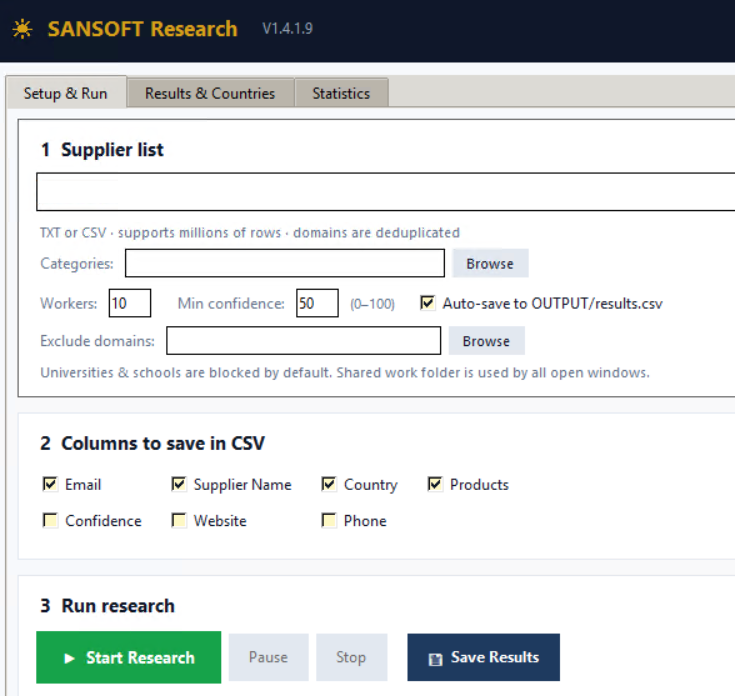
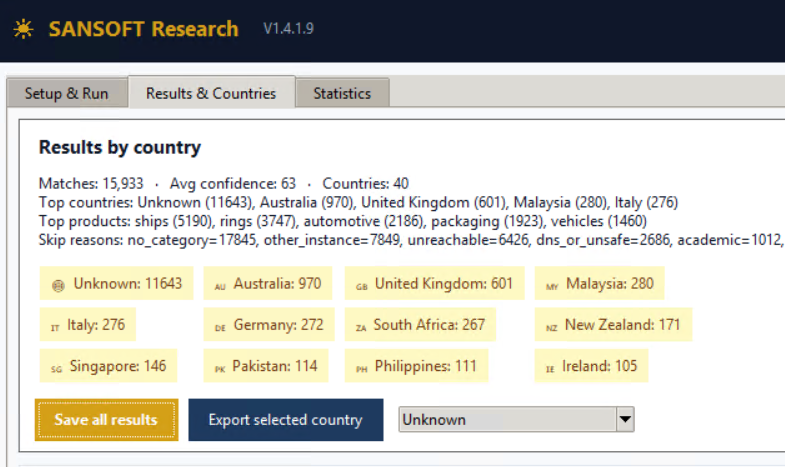
02 / RESULTS & COUNTRIES
Use Results & Countries to save the results or export a selected country group. Country indicators can remain unknown and should be checked before you rely on them.
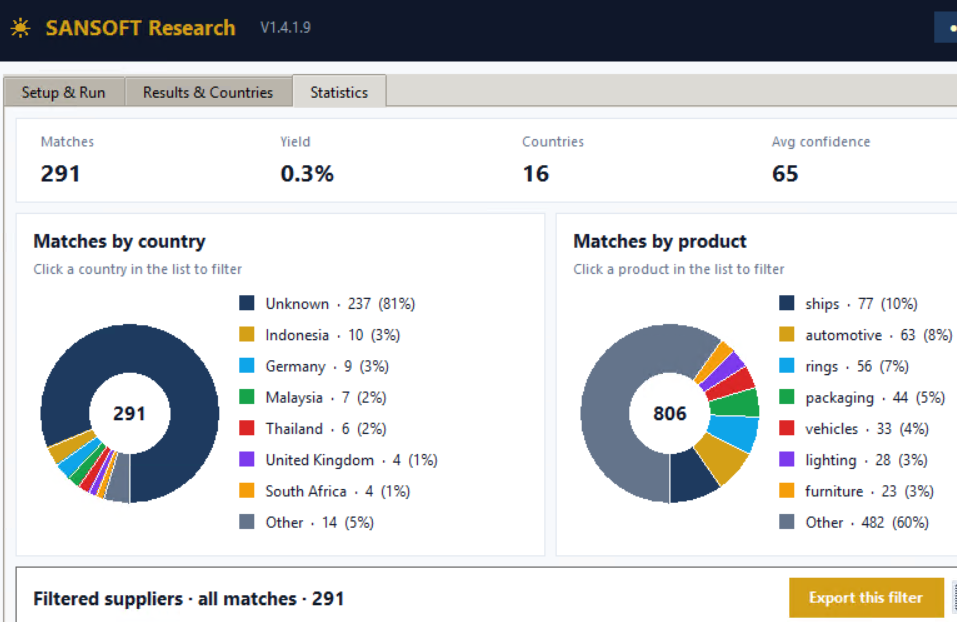
03 / STATISTICS
The Statistics tab brings country and product breakdowns together with a filtered supplier view. Export the displayed filter for your next review step. A supplier can appear under more than one product category.
Website matches need review. Confirm the supplier’s identity, exact products, location and commercial terms directly. Missing matches do not establish that a supplier cannot supply a product.
The interface’s “confidence” value is a matching indicator, not a probability of supplier reliability. Country indicators may be unknown. Screenshot details illustrate controls; they are not evidence of research accuracy or processing capacity.
RESEARCH ACCESS
Choose your plan and submit the order form. Support will email your Bitcoin payment instructions.
FREE TRIAL
Ask support about the 7-day Research trial and its activation instructions.
QUARTERLY
A quarterly access option for SANSOFT Research.
Order quarterlyYEARLY
A yearly access option for SANSOFT Research.
Order yearlyPAYMENT & ACTIVATION
Prices are in USD. Review the licence and refund terms supplied with your invoice before paying.
Explore SANSOFT Professional for source-linked evidence review, saved projects and procurement follow-up. Professional is continuing release testing.
Explore Professional